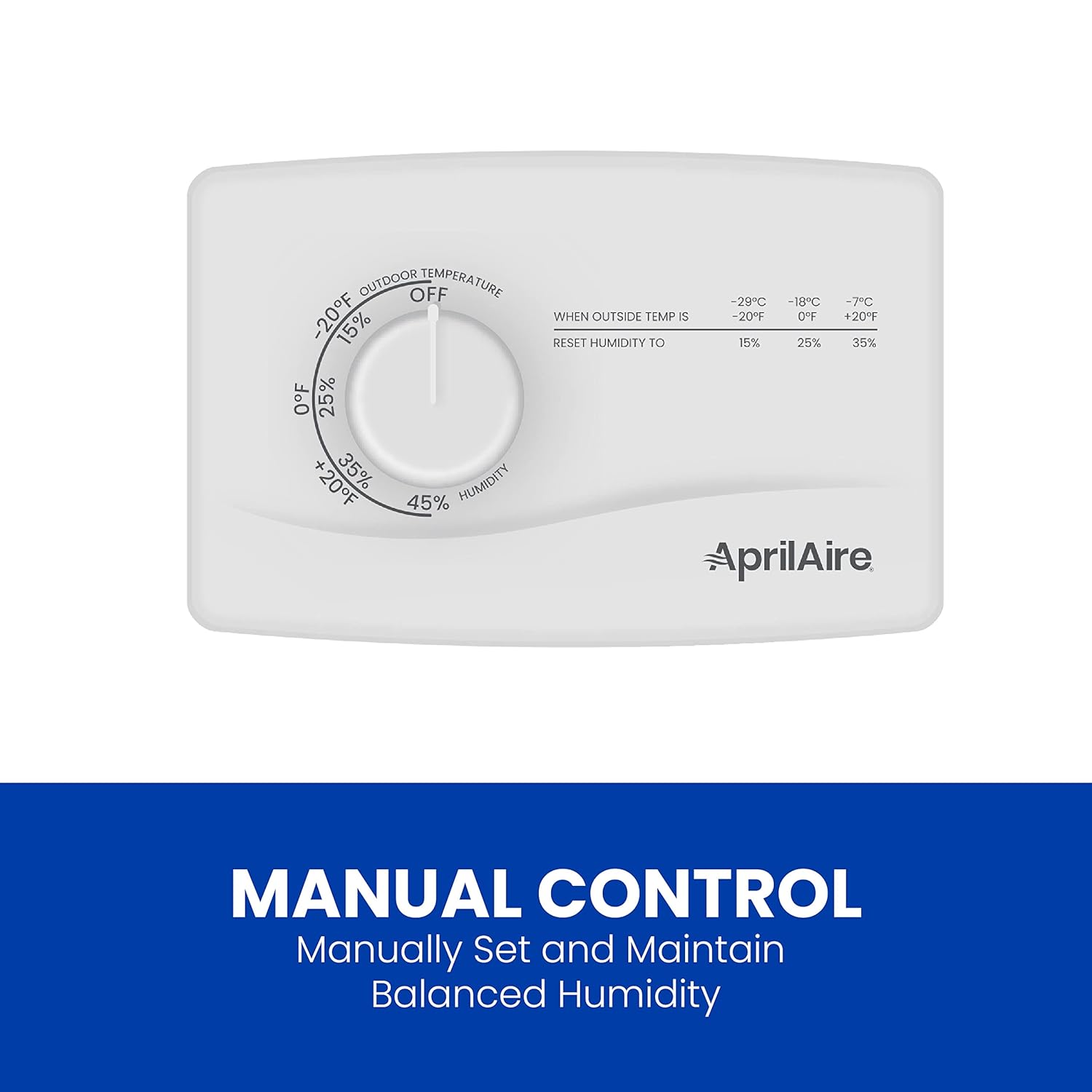
Your whole-house humidifier has a motor, a water valve, and a distribution system — but none of that runs unless a control signal tells it to. That control signal comes from either a standalone humidistat (a simple dial or digital sensor that measures indoor relative humidity, the amount of moisture in the air expressed as a percentage) or from your smart thermostat, which combines that humidity sensing with your heating schedule, outdoor temperature data, and sometimes cloud-connected weather feeds. When the wiring between the humidifier and its controller is wrong — even by one misidentified terminal — the unit either runs constantly, never runs, or runs at moments that damage your windows and framing. Getting this right is the single highest-leverage thing you can do after selecting the unit itself.
This article walks through the wiring logic terminal by terminal, covers the specific quirks of Ecobee, Nest, and Honeywell T-series smart thermostats, and ends with a decision tree for the three most common control configurations installers encounter in 2025–2026.
The Control Circuit Fundamentals: What’s Actually Happening in the Wiring
A whole-house humidifier sits in the airstream of your HVAC system. For bypass and fan-powered evaporative units, the control circuit is low-voltage — typically 24VAC, the same supply that runs your thermostat. For steam units, the control signal is still low-voltage, but it triggers a separate 120V or 240V internal circuit; you’re not switching line voltage at the thermostat wire.
The two terminals you’ll see on virtually every evaporative humidifier’s control board are labeled HUM (or C and H, depending on the manufacturer) — one side connects to 24VAC common (the “C” wire from your air handler), and the other connects to the output of the humidistat or thermostat’s humidity terminal. When the humidistat calls for humidity, it closes that circuit, and the solenoid water valve opens (and the blower engages, on fan-powered units).
The critical detail most diagrams understate: Many bypass humidifiers ship with a call-for-heat interlock — a requirement that the furnace blower must be running before the humidifier fires. This interlock is typically wired through the W (heat) or G (fan) terminal at the furnace control board, not at the humidistat itself. If your humidistat wiring is perfect but you skipped the interlock, you’ll push water vapor into a static air column, flood the distribution pad, and wonder why the drain is always dripping.
Aprilaire’s installation documentation for the 600 series is explicit about this: the humidistat’s output wire routes to the furnace control board’s HUM terminal (when present) or through a relay that monitors the G circuit. Honeywell’s wiring guide for the HE360, document 69-2636, uses the same logic — the humidifier’s 24VAC supply comes from the air handler side of the system so that voltage is only present when the air handler is powered on.
Smart-Thermostat Control: Ecobee, Nest, and Honeywell T10 — Each One Is Different
Smart thermostats promise unified humidity control, and they deliver — but each platform has distinct terminal behavior and software logic that installers hit walls on the first time.
Ecobee (SmartThermostat Premium and earlier models)
Ecobee exposes a dedicated ACC+ and ACC- terminal pair for accessories, which can be configured in software as either a humidifier or dehumidifier output. When you configure it as a humidifier in the app, Ecobee switches the ACC+ terminal to provide 24VAC when RH is below setpoint and the system is in a heating call.
The wrinkle: Ecobee’s frost control feature. Per Ecobee’s 2024 support documentation on humidifier wiring, frost control automatically reduces your humidity setpoint based on outdoor temperature data pulled from your location’s weather feed. At –10°F outdoor temp, Ecobee will suppress the setpoint to roughly 15–20% RH to prevent condensation on single-pane windows. This is correct behavior for an older home — but in a high-performance new build with triple-pane glazing, it will chronically under-humidify. ASHRAE Standard 55-2020 targets 30–60% RH for occupant comfort; frost control can hold you below that threshold for weeks during a cold snap. The fix: disable frost control in settings and manually input an outdoor temperature correction offset that matches your envelope’s actual dew-point risk. Building Science Corporation’s BSI-046 on high R-value walls explains the dew-point math if you need to justify that setpoint to a client.
Google Nest (Learning Thermostat and Nest Thermostat)
Nest handles humidifier control through its * (star) terminal, marketed as the HUM terminal in Nest’s compatibility documentation. The behavior differs from Ecobee in one important way: Nest’s humidity control is continuous, not heat-call-interlocked, by default. That means with a bypass humidifier, Nest can command the water valve open when the blower isn’t running. ACHR News flagged this in their 2023 feature on smart-thermostat humidifier integration — field reports from technicians noted standing water in bypass housings on Nest installs where the blower interlock wasn’t independently wired.
The correct Nest wiring approach for a bypass unit: wire the humidifier’s 24VAC supply through the air handler’s blower relay (using the EAC or accessory terminals on the air handler board), so the humidifier is only ever powered when the blower runs, regardless of what Nest commands. Nest then controls when within that powered window the water valve opens.
Honeywell Home T10 Pro (Resideo)
The T10 Pro offers a dedicated HUM terminal and, uniquely among the three platforms, exposes a dewpoint protection mode in the installer menu. Rather than suppressing the setpoint by outdoor temp lookup, it accepts a manual outdoor temperature sensor input (the C7089 remote sensor) and calculates a real-time allowable indoor humidity ceiling. For installers specifying systems in climates with wide swing — Minnesota, Colorado high country — this is the most technically correct implementation available in a sub-$200 thermostat. The tradeoff: setup requires navigating Resideo’s installer menu, which is not intuitive, and the outdoor sensor is a separate ~$30 purchase that many contractors don’t quote.
Standalone Humidistats: Still the Right Call for These Situations
Smart-thermostat control gets most of the editorial attention, but standalone humidistats — either wall-mounted or duct-mounted — remain the correct specification in several scenarios:
- Steam humidifiers (Aprilaire 800, GeneralAire Elite GFI, Nortec NHMC series) often include proprietary control boards that use their own modulating logic. Wiring a smart thermostat’s binary on/off output to a modulating steam unit throws away the unit’s capacity management. Nortec’s NHMC documentation specifically warns against non-proportional control inputs for this reason; the unit’s DDC interface is designed for either a 0–10V signal or a native BACnet/Modbus handshake.
- Multi-zone systems where the thermostat is zone-specific but the humidifier serves the whole air handler. In this case, the humidistat needs to live at the air handler level, not in a zone.
- Retrofit installs where the smart thermostat lacks a C wire and is battery-powered. Humidity control draws enough current that intermittent C-wire substitutes (Nest’s power-stealing, Ecobee’s PEK) can cause nuisance lockouts.
For these cases, Aprilaire’s own 56 and 60 humidistats — or the Honeywell H8908 — are reliable, calibrated sensors that mount either on the return air duct (preferred, measures actual supply air humidity) or on a wall (measures occupied space, drifts more with localized moisture sources like cooking).
By the Numbers
| Control Type | Typical Installed Cost | Heat-Call Interlock | Frost/Dewpoint Protection | Modulating Output |
|---|---|---|---|---|
| Standalone humidistat (duct) | $40–$90 part | Must wire manually | None (manual setpoint only) | No |
| Ecobee SmartThermostat Premium | $200–$250 thermostat | Software-interlocked | Auto frost control (cloud) | No |
| Nest Learning Thermostat | $180–$230 thermostat | Manual wiring required | None native | No |
| Honeywell T10 Pro + C7089 | $200–$240 combined | Software-interlocked | Dewpoint mode w/ sensor | No |
| Nortec NHMC native control | Included with unit | N/A (steam, no interlock needed) | Setpoint logic onboard | Yes (0–10V or BACnet) |
The Decision Rules
After you’ve read the install manual and confirmed the wiring, the actual decision comes down to three scenarios. Here are the if/then rules:
If your system is a bypass or fan-powered evaporative humidifier and you’re specifying a smart thermostat from scratch: Choose the Honeywell T10 Pro if the install is in a heating-dominated climate with frequent sub-zero stretches — the dewpoint sensor input is the most defensible specification for window and envelope protection. Choose Ecobee if the client prioritizes app polish and schedule integration and is in a moderate climate; just document the frost-control behavior so they don’t call you in January wondering why the house is dry. Use Nest only if the client is already committed to the Google ecosystem, and wire the blower interlock independently at the air handler board — do not rely on Nest’s software-only interlock for a bypass unit.
If your system is a steam humidifier at the Aprilaire 800 / GeneralAire Elite / Nortec tier: Do not use smart-thermostat direct control. Wire a duct-mounted humidistat to the unit’s control board input, and if the building has a BAS or the client has a Savant/Control4 system, specify the unit’s native network interface. Binary thermostat outputs waste the steam unit’s modulating capability.
If your client is a smart-home integrator asking about Savant or similar platforms: The integration path for humidity is via the thermostat’s API, not direct wiring to the humidifier. Savant’s climate driver communicates with Ecobee or Honeywell via cloud API and issues setpoint commands; the thermostat then manages the hardwire. The humidifier wiring is still conventional — the “smart” layer sits entirely above it. Confirm this with the integrator before the rough-in, because assumptions about direct Savant-to-humidifier wiring exist in the field and they are incorrect.
The wiring diagram in the install manual always shows the clean version. The real install has a three-wire thermostat cable that’s one conductor short, an air handler board without a dedicated HUM terminal, and a smart thermostat that the homeowner bought on Marketplace before you got the call. None of that changes the underlying logic — 24VAC, a closed circuit, and a blower interlock — but it does mean you need to know why each wire goes where before you’re standing in the mechanical room improvising. That’s what the terminal-by-terminal framework above is for: not to replace the manual, but to make sure you’re reading the right part of it.